Sitefinity ASP.NET CMS Overview

Envision. Build. Manage.

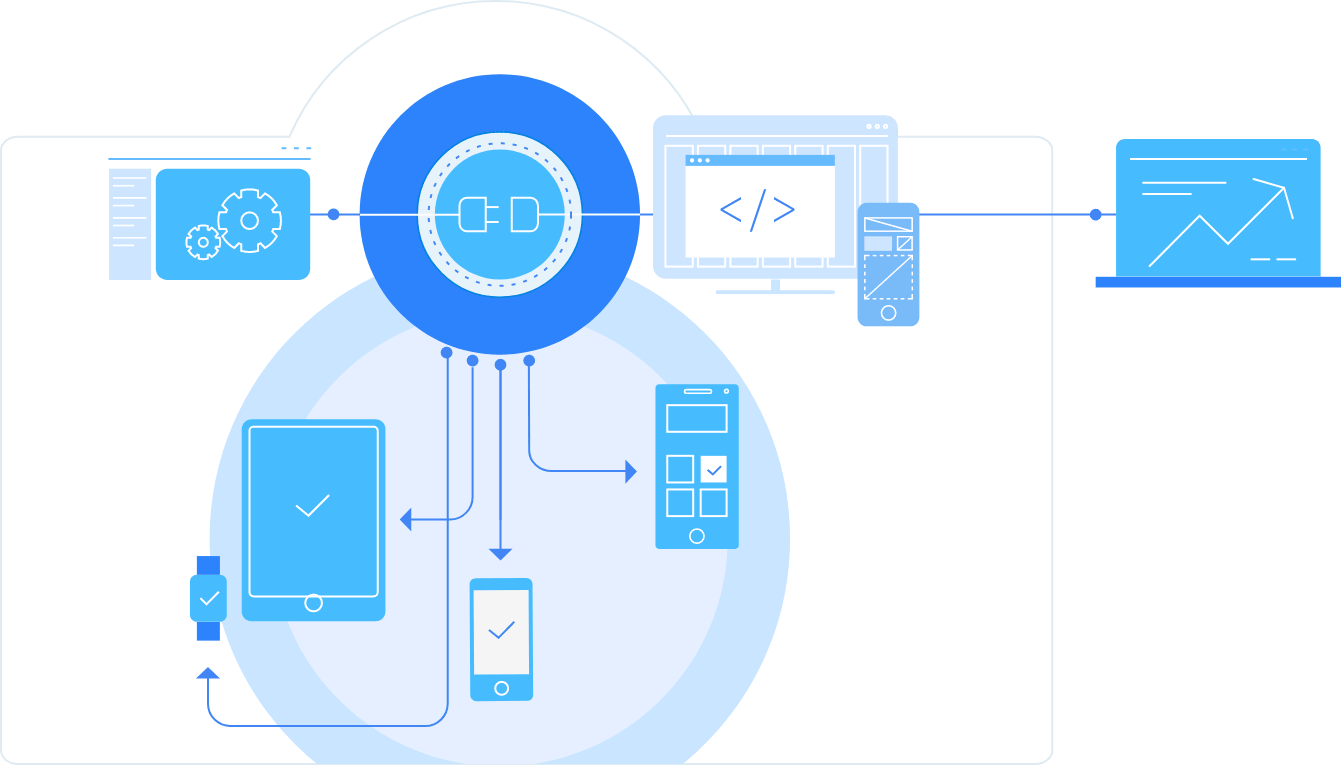
Sitefinity CMS is a flexible ASP.NET-based content management platform that is used for the construction and management of commercial websites, community portals, intranets, etc. The product's architecture leverages the .NET development patterns, including Master Pages, templates, standard and user controls, themes and CSS. Sitefinity CMS is engineered with flexibility and extensibility in mind to give developers the freedom they need to integrate legacy applications or use custom 3rd party controls and modules.

Sitefinity Overview video

Find out what makes Sitefinity CMS different.

Sitefinity Weekly WebinarEvery Tuesday and Thursday
Reserve your seat
Sitefinity Personal DemoNeed an online guided demo of Sitefinity?
Register here

Sitefinity CMS Features

Jump down on this page to...

Architecture

  1. Architecture

    Sitefinity's building parts and the way they interact are shown on the below diagram.

    Sitefinity ASP.NET CMS Architecture Diagramenlarge screenshot

  2. Pages

    The appearance of a page in Sitefinity is defined by templates and themes, while its functionality is defined through controls. Every page has a number of properties, such as Title, URL, Meta tags and so on. In Sitefinity, there is no actual underlying file for a page - it is constructed on the fly.
  1. Controls

    Controls represent actual content or functionality.  There are several types of controls you can use: built-in, module, user or custom. Sitefinity also comes with the complete suite of Telerik's award-winning RadControls for ASP.NET Ajax and Silverlight.
  2. Modules

    Modules are small, independent applications living inside of Sitefinity. Sitefinity comes with several pre-built modules, such as News, Blogs, and Images & Documents. Sitefinity can be easily extended through new modules.
  3. Services

    While both pages and controls are tangible and visible parts of Sitefinity, services are common functionality invisible to the end user. A good example of a service is the search functionality, indexing the content backstage. To read more on Sitefinity core concepts, please visit our online documentation.
  1. Provider Model

    Everything in Sitefinity is built on the Provider model. This allows developers to use the built-in ASP.NET features such as Membership, Profiles, Sitemap with various databases and various settings, while only minimal coding and modifications are required.

  2. Personalization framework

    Sitefinity’s Personalization Framework provides an API for storing various information on user-by-user basis. Using the fully exposed API, any developer can take advantage of feature when developing modules or controls.

  3. Open and Extendable

    The open architecture and fully-exposed API make Sitefinity virtually infinitely extendable, be it through modules, controls, services or completely new systems that will integrate with it. Developers can reuse existing functionality, extend or combine it, while designers have unprecedented flexibility in styling the public pages, as well as the appearance of the CMS itself.
All feature categories

Development

  1. Documented API

    Sitefinity comes with a fully exposed and documented API. A comprehensive set of methods and events are exposed, allowing developers to handle and customize almost every aspect of the application and create programmatically pages and content.

    Sitefinity ASP.NET CMS APIenlarge screenshot

  2. Native .NET application

    Sitefinity is a native .NET application, allowing developers to reuse acquired knowledge such as the .NET Provider Model, Membership, Roles, Profiles, Master Pages, Custom and User Controls, Themes and any CLR language. For example, security in Sitefinity is based on top of the ASP.NET Membership system. This means that all the features, such as users, roles, profiles and so on, that are commonly accessible in any ASP.NET application are present in Sitefinity. All modules, pages, controls, and other parts of Sitefinity, have access to the same security API and can take advantage of it at any given time.
  1. Building Applications Inside of Sitefinity

    If you have a web application you will need web pages to provide user interface for your application. Instead of developing tightly-coupled pages that will eventually become a nightmare to maintain, you can develop whole UI through series of self-contained controls and use Sitefinity’s page editor to assemble your application from these logic units. You will have ready-made mechanism for defining the layout and the look-and-feel of your pages (templates and themes). Instead of developing a whole application from scratch, you can build on top of Sitefinity. Features such as security (membership, roles, and profiles), extensible workflow, search service, localization and many others are already implemented and all you have to do is take advantage of them.
  2. Microsoft Visual Studio Support

    Sitefinity offers deep integration with Visual Studio .NET. Side-by-side development and result testing in the working project has never been easier. In Visual Studio, users can write new user controls for Sitefinity, modify the functionality of existing ones, or reuse readily-available code.
  3. Support for Multiple Databases

    With Sitefinity you have a number of options as it supports multiple databases, including SQL 2000/2005/2008/Express, Oracle and MySQL. See the complete System Requirements.
  1. Data Access

    Sitefinity is an extremely flexible application when it comes to working with data. It is possible not only to use any kind of data storage for the custom functionality (such as custom modules), but also to use any kind of data storage for the built-in functionalities such as blogs, pages, news, events, and so on. Sitefinity uses the Provider Model pattern which allows implementing a new provider for any part of Sitefinity.
  2. Upload of User or Custom Controls

    You can extend Sitefinity control toolbox with both User Controls (.ascx files) and Custom Controls (compiled .dll files). There are no special requirements for controls to become Sitefinity controls, which means that you can use the controls you have already developed for some other .NET system directly in Sitefinity with no modifications.To add a control to Sitefinity toolbox one has two choices: controls can be added through GUI in the page editor or you can add them manually through the web.config file. 

    enlarge screenshot

All feature categories

Design

  1. Support for CSS layouts

    Sitefinity’s administration layout supports style sheets, helping web developers separate content from presentation. Style sheets let you store only structure in generated HTML markup, while keeping presentation in a file. This streamlines layout formatting and maintenance for a consistent page look. These styles can be applied to different pages, improving productivity and promoting a consistent look and feel.
  2. Themes / Skins

    Sitefinity is shipped with a collection of themes and skins that can be reused in different projects. Users can also create their own custom themes and skins.

    enlarge screenshot

  1. Export Site as Template

    The Sitefinity Export Tool allows users to export an existing site as a template which can be reused for a new project. All data and files will be transferred to the new project that adopts the exported template.

    enlarge screenshot

  2. Templates

    Sitefinity offers a number of different templates - website templates, which allow predefinition of the whole website; page templates, which allow predefinition of a page;control templates, which allow predefinition of a control; and designer templates, which allow predefinition of control templates settings.
  1. Control Templates

    Control templates are a great aid in managing the output of all public and most of the administrative controls in Sitefinity. Each control has a built-in template for its layout. This template is loaded in case there is no external template specified for the control.
  2. XHTML and WAI Compliance

    Sitefinity produces XHTML compliant code. Also, the inbuilt RadEditor for ASP.NET AJAX outputs XHTML-compliant content across all major browsers. It also provides real-time XHTML validation by sending HTML content for validation to the W3C service, and returning a compliancy report right within the editor interface. The integrated validation module is also available as a validation dialog.The built-in WYSIWYG editor complies with W3C WAI-A and Section 508.

    enlarge screenshot

All feature categories

Site Administration

  1. Online Administration

    The CMS can be completely managed through a web browser - end-users can upload files as well as manage page content and organization online.

    enlarge screenshot

  2. Workflow Engine

    In Sitefinity you can define the workflow process and ensure that new or modified content passes through a process of approval before going live. It can be easily enabled or disabled and can be applied on a content and page level.

    enlarge screenshot

  1. Versioning

    Sitefinity supports different versions of the same content and allows for rollback and comparison to previous versions. Every time a user modifies content, a copy is created in the Database – the old version is not deleted, but stored together with the newer versions. Versioning provides a more powerful alternative to keeping backup files. It can be applied to pages, page templates and any content.

    enlarge screenshot

  2. Interface Localization

    Sitefinity CMS provides a way to reach out to your global community of editors and allow them to create and manage content in their own language. With Sitefinity CMS it is easy having the administration interface ( labels, tool tips, error messages, contextual help or buttons) translated in any language supported by the .NET framework. 
  1. File Manager

    Sitefinity incorporates its own manager to streamline an easy and effective file upload. Users can delete, copy, move any kind of files necessary for website construction and organize them into folders.

    enlarge screenshot

  2. Addition of external pages to the navigation

    Users can add pages that have been created outside of Sitefinity. They just need to specify the link to the file and the external page will be automatically added to the Sitefinity navigation.

    Sitefinity ASP.NET CMS Features Screenshotenlarge screenshot

All feature categories

Editorial Tools

  1. User Friendly Interface

    Sitefinity provides an intuitive role-based user interface that offers quick access to all functions of the CMS and is easy to navigate. A context-help system has been integrated into the UI, so that users can quickly reference help topics, depending on the page they are currently viewing.
  2. Drag-N-Drop Content Editing

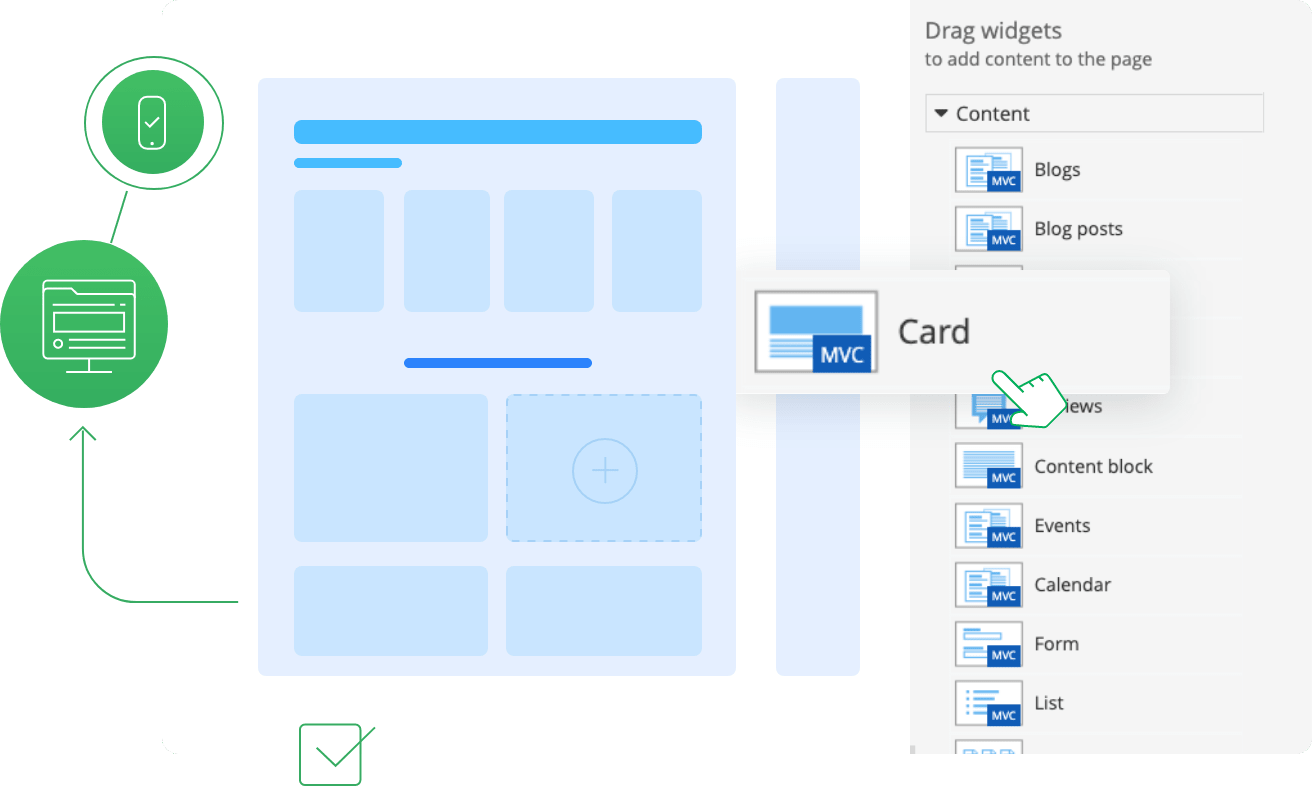
    Sitefinity provides an extremely convenient drag and drop interface for visual construction of web pages. Business users can move different page elements and quickly organize the page structure – drag an element from the control toolbar, replace or move it around and easily fill the page cells with content.The “editing” interface is almost identical to the live page allowing content managers to see how the page will look when published.

    enlarge screenshot

  3. WYSIWYG Editor with Spellchecker

    Sitefinity ships with the Telerik RadEditor for ASP.NET AJAX, the leading WYSIWYG rich-text editor, winner of a number of prestigious industry awards. RadEditor is equipped with a powerful toolbar that could be fully customized, out-of-the-box XHTML output, full keyboard accessibility, integrated inline spellchecker and industry-best cross-browser support. To explore the RadEditor features, please review the following page.

    enlarge screenshot

  1. Meta data

    All Generic Content based Sitefinity modules support adding and removing of arbitrary meta data for content objects.

    Sitefinity ASP.NET CMS Metadata SEOenlarge screenshot

  2. Content Sharing and Branching

    Sitefinity’s content reuse model lets you share the same content across multiple web pages and even multiple web sites. Whenever the shared content item is updated, all pages where that item appears are updated automatically. This feature is especially convenient when there are some users responsible solely for writing site copy while others are responsible for placing the content on web pages.
  3. Content Tagging

    Sitefinity allows CMS users to tag the content they create in Blogs and News, and Generic content based modules. You can use tags to categorize texts, pictures, videos, and articles. The tags will then allow both content authors and website visitors to easily navigate to the information they are looking for and instantly access content items tagged with the same keyword. Additionally, users can choose whether to display tags as simple lists or ‘Tag Clouds’ in which the most frequently used ones are rendered in a larger size.
  4. Geo Mapping

    Sitefinity’s Events module provides a geo-mapping feature for the location of events. The module provides the ability to display maps of an event's location from three leading map services -Google Maps, Yahoo! Maps, Live Maps.
    The geo-mapping feature provides in-built functionality for location geo-coding (retrieving geo-latitude and geo-longitude values) based on the street, city, country and state (only for the United States of America).
  1. Multi-lingual Content Integration

    With Sitefinity it's easy to create and maintain content in multiple languages. You can prepare a content block in one language and then create unlimited translated versions associated with the original block. Additionally, you won't need to create separate pages for each language.

    enlarge screenshot

  2. Upload of Multiple Items and Zip Archives

    The Sitefinity Document and Images module allows users to make batch uploads and upload many images and files at once to save time. In addition to this, Images & Documents module support upload of zip files which can contain hundreds of images and will be unzipped automatically by Sitefinity, once uploaded.

    enlarge screenshot

  3. Dynamic links

    Sitefinity allows you to use dynamics links in editors of all Generic Content based modules. This feature provides link integrity when the URL of a page or a document changes. Thus, users will be able to safely reorder pages in the project’s sitemap without running the risk of breaking any URLs.
All feature categories

Built-In Applications

  1. Blogs Module

    The Sitefinity Blog’s publishing system supports workflow and completely streamlines the management of single or multiple user blogs. Additionally, it’s extremely easy to implement the module - business users can add it to the website by visually configuring the module.

    enlarge screenshot

  2. Discussion / Forum Module

    Sitefinity features a pluggable forum module. It offers easy manipulation of multiple forums on your website from a single management interface. Forum administrators can swiftly create forums, start new threads, edit and delete individual messages and assign permissions to different users through the Sitefinity’s admin area. You can also use categories to classify and organize different forums.

    enlarge screenshot

  3. Images and Documents Module

    The Documents and Images module serves as a central repository for all sorts of documents and files. Using the module content authors can easily search for resources and reuse different elements throughout the site (for example add a specific photo in multiple pages on the website. End users can create public libraries (for example photo gallery in the “Events” page of the website) by simply dragging a control from the Sitefinity Toolbox onto the page and choosing the images that should be displayed. The module also facilitates the migration of images and files to a new database project and automatically updates the image or documents paths as needed.

    enlarge screenshot

  1. Video library and Amazon S3 support

    Sitefinity (on .NET 3.5 only) includes video library support through RadMediaPlayer for Silverlight. Business users can add video content to their websites quickly and easily. Sitefinity also offers a data provider for video libraries using Amazon S3 and Viddler for data storage and streaming.
  2. Events Calendar

    Sitefinity ships with an Events Module that makes it easy for users to schedule and announce events through their web site and display them on a calendar or a list. The module incorporates Telerik’s RadScheduler, providing the standard abilities to manipulate events (create, view, update, delete). With the module you can manage tags, categories and comments. Additionally the Events Module has a special panel for working with geo-mapping settings.

    enlarge screenshot
  3. Lists Module

    The Lists module provides a simple and efficient way of organizing FAQs, contacts, interviews, testimonials, instructions, tasks, to‐do lists, links, dictionaries, etc. It allows you to create logically related list items, each of which has a headline and content. You create these items using the Lists module and then display the list on the Web page by simply dragging a Lists control. The main advantage of the Lists module is that it eliminates the need to format items while writing content, as all formatting comes from the css files and themes.
  4. Graphs and Charts

    Sitefinity provides an inbuilt RadChart - a business-oriented charting component that allows users to generate all popular chart types.

    enlarge screenshot

  1. Wiki Module

    The built in Wiki module is a great way to host and manage community generated content. Users can create and edit any number of interlinked web pages using the award winning WYSIWYG editor directly from their browser. The wiki module provides for comments, history, rollback of changes and search functionality out of the box.
  2. Polls Module

    With Sitefinity Polls module, users can quickly create Polls for their sites through an intuitive user interface. It literally takes a few minutes to create a new Poll and publish it on the website.

    enlarge screenshot

  3. Search Engine

    Sitefinity offers an advanced search service that allows you to quickly and easily find information managed by the CMS. The search indexes both modules and static content and allows you to define which parts of the site are being searched and how the search results are displayed. By using the search content authors can instantly find where certain keywords are used on the website and quickly and efficiently update content. Additionally, those users who have permissions to edit the page layout can visually add the search control onto the page without any programming knowledge. The Search Box and Search Results controls (as all other Sitefinity custom controls) can be added with simple drag-and-drop.

  4. Site Map

    Sitefinity automatically creates a Sitemap of the website and keeps users up to date with any navigational changes. An automated Sitemap also ensures that search engines can find and index all pages without additional effort.

    enlarge screenshot

All feature categories

Telerik Products Integration

  1. Built-in RadControls for ASP.NET AJAX

    Telerik's RadControls for ASP.NET AJAX suite includes 32 major and 35 helper controls with proven reliability that will help you build elegant UIs. From the leading AJAX data grid to the HTML editor used even by Microsoft, you will have all the building blocks for creating rich, SEO-friendly, high-performance Enterprise web applications.

  1. Built-in RadControls for Silverlight

    RadControls for Silverlight includes 38 UI controls that can be used in pure Silverlight applications or as parts of existing ASP.NET applications. The Silverlight controls offer a clean and intuitive API, Blend support and powerful theming capabilities that will radically improve your RIA development.

  1. WebUI Test Studio

    The new Telerik WebUI Test Studio is an automated testing solution, powered by ArtOfTest and specifically tailored for the Telerik RadControls for ASP.NET AJAX thanks to the integrated control translators. As Telerik's ASP.NET AJAX controls are an integral part of Sitefinity CMS, the WebUI Test Studio is an extremely helpful tool to ensure a very safe product developing cycle.
All feature categories

Performance

  1. Webfarm and Webgarden Support

    When a single web server is not enough to handle the traffic on your web site, it is time to consider building a web farm and use multiple servers on a network that act as a single server. Sitefinity scales to meet these requirements by fully supporting Webfarm and Webgarden environments.
  1. Advanced Caching

    Sitefinity offers advanced page caching capabilities that are fundamental for removing performance bottlenecks. Caching is an effective manner of improving web pages speed delivery and reducing access time. This guarantees user satisfaction and responsiveness in high-load environments.
  1. Caching substitution controls

    Sitefinity includes base classes for implementing cache-dependent controls. These base classes give controls the ability to be dynamic even on a cached page – the controls update automatically although the page is cached.
All feature categories

Interoperability

  1. Content Syndication (RSS)

    With the Sitefinity RSS service you can easily feed your website content as RSS data. Sitefinity comes with two RSS providers that allow you to syndicate your Sitefinity blogs and news, respectively.
  1. FTP Support

    Sitefinity users can upload internal content and/or files via FTP.
  1. UTF-8 Support

    Sitefinity supports UTF-8 character encoding to enable multi-lingual sites without the use of separate code pages for each language.
All feature categories

Security

  1. Audit Trail

    Sitefinity CMS allows you to keep track of which users made changes in the CMS (additions or updates).
  2. Pluggable Authentication

    Sitefinity uses native ASP.NET Membership system which has been built on provider model pattern. This allows Sitefinity to work seamlessly with wide variety of authentication mechanisms implemented as custom Membership providers.
  3. Support for Partially Trusted Environment

    Sitefinity can operate in a partially trusted environment. It gives server administrators the flexibility to set execution permissions on assemblies and tailor them to their needs.

    enlarge screenshot

  1. Spam Protection (CAPTCHA)

    Sitefinity has built in Spam protector control with several options to fight spam, including Captcha.

    enlarge screenshot

  2. Sandbox

    Sitefinity offers a sandbox area where content managers can experiment with different concepts without affecting the public website's design and content. For any page change there is a preview capability to verify the content look-and-feel before publishing. You may preview content items in all different renditions where they will appear and ensure perfect content quality management before going on air. In addition to this, when working with Workflow feature turned on, pages and content are in draft mode until approved and published.
  1. NTLM and LDAP Authentication

    There are several known forms of authentication, supported out-of-the-box in Sitefinity. The most commonly used ones are: Windows authentication and Forms authentication. Sitefinity offers NTLM authentication (this is a Microsoft Authentication Protocol) and LDAP (Lightweight Directory Access Protocol) based authentication.
  2. SSL Compatibility

    Sitefinity is SSL (Secure Socket Layer) compatible and provides secure communication for data transfers - all information that is transmitted between the visitor's browser and the web server is encrypted. SSL can be applied on a per page level in Sitefinity.

    enlarge screenshot

All feature categories

Learning and Support Resources

  1. Code Skeletons

    Sitefinity provides starter kit samples for development of Intra-site and pluggable modules.The kit includes a Visual Studio template that will get you up to speed with creating your own Sitefinity pluggable modules. The template will create the project for you and all rudimentary classes that every module needs.
  2. Professional Hosting

    Sitefinity has partnered with DiscountASP.NET - the leading provider of Microsoft Windows-based shared hosting, focused on providing the best value in ASP.NET and SQL database hosting. A Microsoft Gold Certified partner, DiscountASP.NET was one of the first hosts to launch .NET 3.5 hosting supporting LINQ and ASP.NET AJAX hosting. Through strong word-of-mouth and their commitment to ASP.NET and SQL technology, DiscountASP.NET has become the choice for affordable enterprise-class ASP.NET web hosting. There is a special KB article how to quickly set up Sitefinity on the DiscountASP.NET servers.
  1. Commercial Training

    For larger teams that have very complex projects and wish to get up to speed with Sitefinity in a matter of days, Telerik offers dedicated on site training. The training is offered by Falafel Software, a leading training and consulting company and Telerik certified partner. Many of the trainers on the Falafel team have several decades of experience working on development tools and component frameworks and were instrumental in the development of Borland Delphi and C++Builder. Today, Falafel works extensively with Telerik products in consulting projects and has amassed an amazing experience using the products in real-world projects.

    enlarge screenshot

  1. Professional Services

    Sitefinity has a global network of partners who can customize and deploy Sitefinity for you. Please visit our Partner Directory for details.
  2. Sample Site

    Sitefinity ships with a 100% XHTML compliant sample website showcasing its full range of features, controls and modules. It allows users to quickly learn how to use the product.
  3. Commercial Support

    As part of the Sitefinity Standard Edition License customers receive 1 year of dedicated technical support - all issues are addressed by Senior Support Engineers through our online ticketing system.
  4. Large Developer Community

    There is a large and vibrant community around Sitefinity, as evidenced by the very active Sitefinity forums.

About Telerik

Telerik, the publisher of Sitefinity CMS, is a leading vendor of ASP.NET AJAX, ASP.NET MVC, Silverlight, WinForms and WPF controls and components, as well as .NET Reporting and .NET ORMTFSCode Analysis and Web Application Testing tools. Building on its solid expertise in interface development and Microsoft technologies, Telerik helps customers build applications with unparalleled richness, responsiveness and interactivity. Created with passion, Telerik products help thousands of developers every day to be more productive and deliver reliable applications under budget and on time. Read more about Telerik

Copyright © 2002-2010 Telerik. All rights reserved. Powered by Sitefinity