Sitefinity Marketplace: Widgets, Plugins & Extensions
Increase the power and functionality of your Sitefinity solution with these powerful add-ons and integrations.

Featured




Integrations
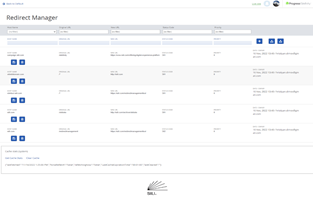
Redirect Management Tool
The Redirects Management Tool provides an easy-to-use, intuitive UI for input and management of redirects, filtering and searching for redirects to update and edit. The tool lets you capture wildcard redirects, and query string keep/forward for campaign tracking. Users can export/import redirects and set the appropriate HTTP response status code.

Microsoft Dynamics CRM/365 Integration Portal for Sitefinity
The Portal Connector is a platform that provides seamless two-way integration between Dynamics CRM/365 and Sitefinity. Providing customers and partners with a flexible, scalable and highly secure web portal for enhanced customer service experiences. With Sitefinity's intuitive, drag and drop tools, creating your web portal is a breeze.

Enhanced MVC Form Widgets
Rich, interactive forms are a Sitefinity staple, helping you engage website visitors and collect quality data. A new set of widgets is now available extending the already rich functionality of MVC forms in Sitefinity. Add to your Sitefinity CMS project to empower content editors and support more efficient user interactions.

Lionbridge Connector for Sitefinity
Lionbridge allows users to easily select content for translation, choose one or many target languages, add-job specific information and send content out to be translated.
Lionbridge automatically receives the file and creates a translation job. The translation is then returned via the Connector, and the content is updated on the target pages.

Synx for Sitefinity
Synx allows users to connect Microsoft Dynamics/365 to Sitefinity CMS quickly and easily. Sync data between Sitefinity and Microsoft Dynamics and utilize that data to built effective portal experiences.
Add-ons
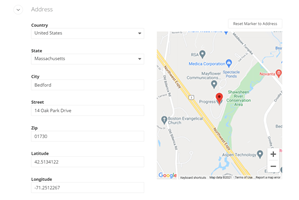
AdminApp Google Maps Address Field
This extension brings in a Google Map view for the address field. Also brings in Latitude/Longitude
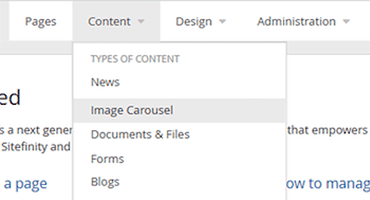
Rotating Image Carousel
Use this Sitefinity content type and widget to display images in a rotating carousel, leveraging Sitefinity's out-of-the-box Bootstrap 4 support.
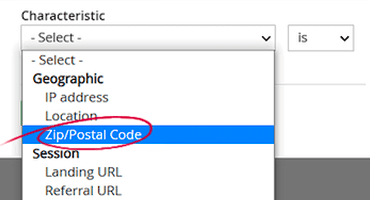
Personalization by Zip/Postal Code
Personalize content by a single zip code, list or range of zip/postal codes with an extension to location services.
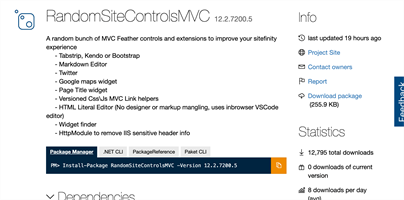
RandomSiteControlsMVC
Provides an extensive set of additional Sitefinity widgets as well as a comprehensive set of API extensions to assist developers.
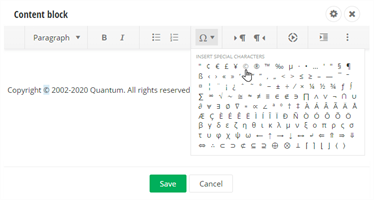
Insert Symbol Rich Text Editor Extension
Insert special characters and symbols and into web content with the click of a button. Utilize a dropdown selection of special characters in the rich text editor toolbar to incorporate a wide variety of symbols into web copy.

Feature Your Solution on Sitefinity Marketplace
Promote your custom widget, module, or productivity tool by sharing it
with the Sitefinity Community.