Implementing scheduled services in Sitefinity 3.x
The content you're reading is getting on in years
This post is on the older side and its content may be out of date.
Be sure to visit our blogs homepage for our latest news, updates and information.
1.Creating a web service in Sitefinity
2. Creating a console application that will be used to call the service
3. Using Windows Task Scheduler.
Creating a web service.
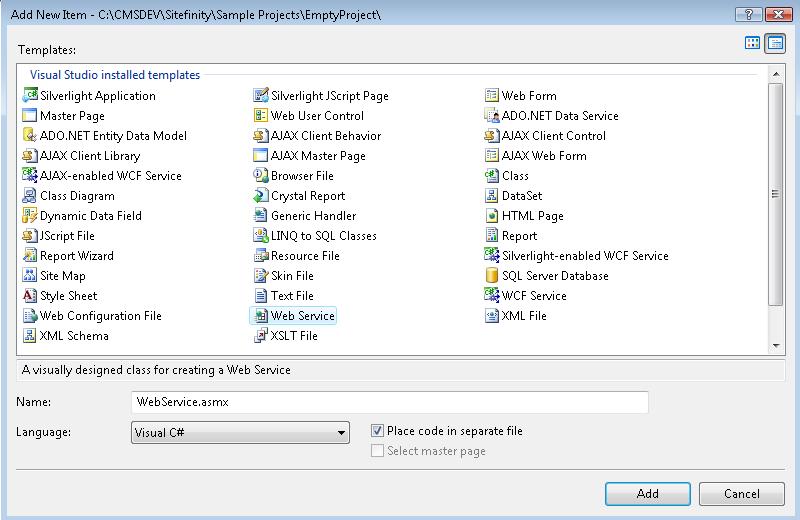
- Leave the generated asmx in project's root.
- Make sure that the generated class is located in App_Code folder
In the WebMethod I'm adding getting all services using IndexDataManager object. Then I am looping through all indexes and if the name of the index that I am going to pass exists in the IndexingServiceInfo I run the index programmatically using IndexingService object
| using System; |
| using System.Collections.Generic; |
| using System.Linq; |
| using System.Web; |
| using System.Web.Services; |
| using Telerik.Search; |
| using Telerik.Search.Data; |
| using System.Collections; |
| using Telerik.Search.Engine; |
| /// <summary> |
| /// Summary description for IndexingService |
| /// </summary> |
| [WebService(Namespace = "http://tempuri.org/")] |
| [WebServiceBinding(ConformsTo = WsiProfiles.BasicProfile1_1)] |
| // To allow this Web Service to be called from script, using ASP.NET AJAX, uncomment the following line. |
| // [System.Web.Script.Services.ScriptService] |
| public class IndexingService : System.Web.Services.WebService |
| { |
| public IndexingService() |
| { |
| //Uncomment the following line if using designed components |
| //InitializeComponent(); |
| } |
| [WebMethod] |
| public void StartIndex(string indexName) |
| { |
| IndexDataManager dataManager = new IndexDataManager(); |
| IList indexes = dataManager.GetServices(); |
| IndexingServiceInfo indexServiceInfo = null; |
| foreach (IndexingServiceInfo service in indexes) |
| { |
| if (service.Name == indexName) |
| { |
| indexServiceInfo = service; |
| break; |
| } |
| } |
| if (indexServiceInfo != null) |
| { |
| Telerik.Search.Engine.IndexingService service = |
| new Telerik.Search.Engine.IndexingService(indexServiceInfo); |
| int timeout = this.Context.Server.ScriptTimeout; |
| this.Context.Server.ScriptTimeout = 4800; |
| service.Index(false); |
| this.Context.Server.ScriptTimeout = timeout; |
| } |
| else |
| { |
| throw new ApplicationException("not found name"); |
| } |
| } |
| } |
.
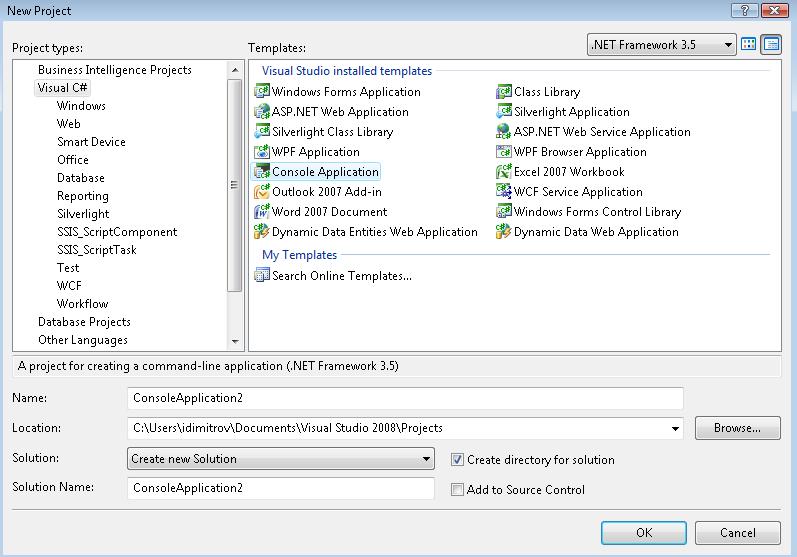
Creating Console Application
- Create the console application
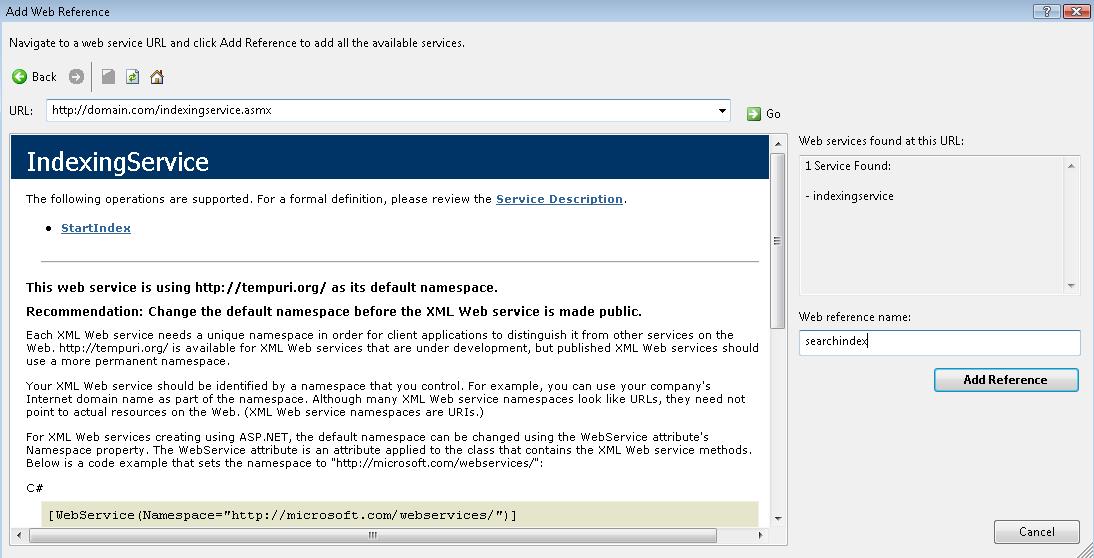
- Add Web reference to the WebService that is located in Sitefinity website
- Implement the logic in the console application to call the WebService method, pass the name of the index and finally run it.
| namespace IndexConsoleApplication |
| { |
| class Program |
| { |
| static void Main(string[] args) |
| { |
| StartIndex("RunFromConsole"); |
| } |
| public static void StartIndex(string indexName) |
| { |
| IndexingService client = new IndexingService(); |
| client.StartIndex(indexName); |
| Console.Write("the website was indexed at" + DateTime.Now.ToUniversalTime().ToString()); |
| Console.Write("next index is scheduled for" + DateTime.Now.ToUniversalTime().AddDays(1).ToString()); |
| Console.Read(); |
| } |
| } |
| } |
Using Windows Task Scheduler
- Open My Computer >> Management >> System Tools >> Task Schedler
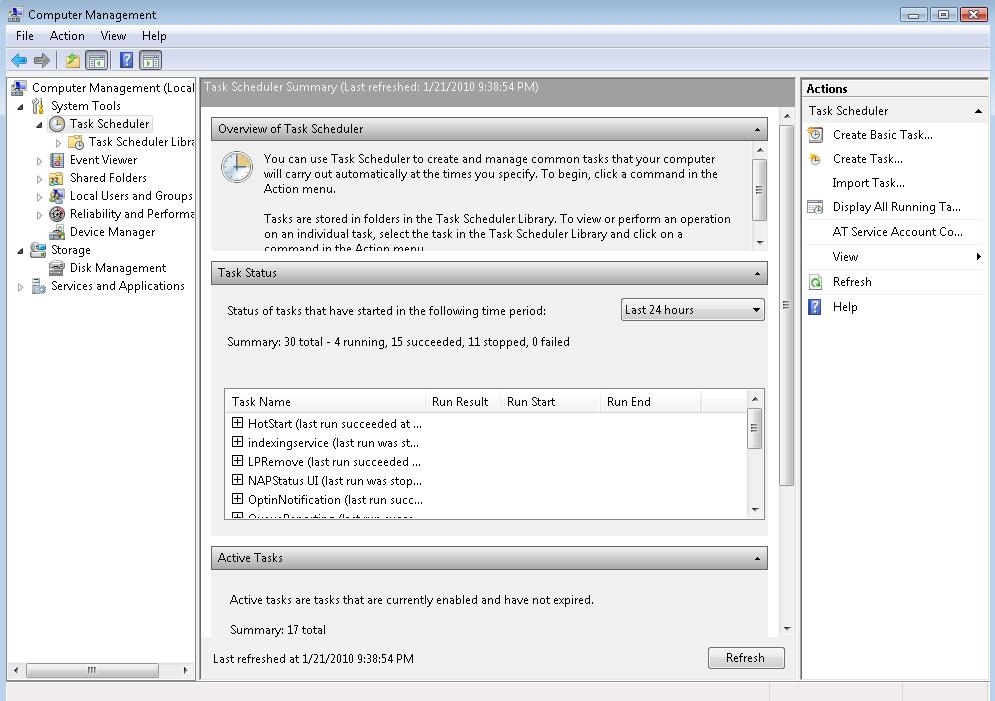
- Click Create New Task
- Triggers tab - set the time you want to run the index
- Actions tab - set the path to the exe generated by the console application.


The Progress Team
View all posts from The Progress Team on the Progress blog. Connect with us about all things application development and deployment, data integration and digital business.
Comments
Topics
- Application Development
- Mobility
- Digital Experience
- Company and Community
- Data Platform
- Secure File Transfer
- Infrastructure Management
Sitefinity Training and Certification Now Available.
Let our experts teach you how to use Sitefinity's best-in-class features to deliver compelling digital experiences.
Learn MoreMore From Progress



Latest Stories
in Your Inbox
Subscribe to get all the news, info and tutorials you need to build better business apps and sites